Another question about shipping
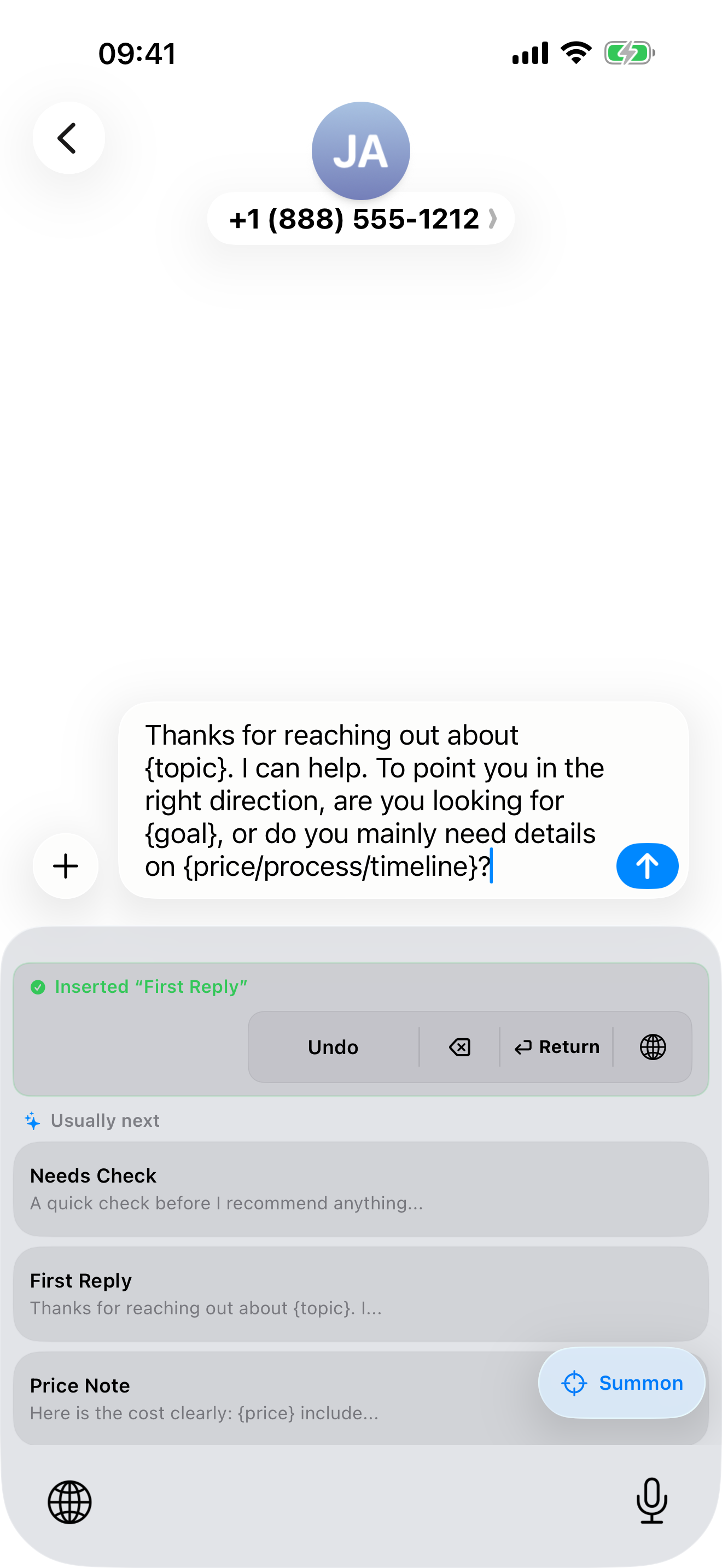
Keep the answer as a saved card. Insert it, then adapt it to the conversation.
 BlinkPaste
I keep typing the same replies
Customer answers, addresses, and your go-to AI prompts. Save the text in BlinkPaste, switch to its keyboard in a supported text field, and tap to insert it.
MADE FOR REAL MOMENTS
Keep the answer as a saved card. Insert it, then adapt it to the conversation.
Reuse your context, preferred format, and writing instructions instead of rebuilding them.
Give your frequently shared details a recognizable title and keep them close to where you type.
HOW IT WORKS
Create a snippet manually or turn clipboard text into a reusable keyboard button.
Switch to the BlinkPaste keyboard in a supported text field and tap a saved card to insert the full text.
BlinkPaste 1.3 suggests saved snippets on the keyboard and explains why they are relevant. You can still search by initials when you know what you need.
KNOW WHAT YOU ARE GETTING
Does not record what you type in other apps · Does not upload your typed content · Full Access enables shared snippet access · Optional iCloud sync stays within Apple’s iCloud service
Read the privacy policy ↗Unlock unlimited snippets with one purchase—no subscription.
QUESTIONS
Enable BlinkPaste in iOS keyboard settings first. Secure fields such as passwords and apps that block third-party keyboards may require the system keyboard.
BlinkPaste does not save or upload your typed content. Recommendations temporarily use the input context made available by iOS, on your device, to match saved snippets. Full Access enables shared snippet access; optional sync uses Apple iCloud.
A USEFUL FIRST STEP